Academy / Setups
If you're starting out in iRacing, this isn't the moment to worry much about setups. But it is worth knowing what they are and why they might matter to you later on. Because early on there's a truth that saves you a lot of frustration: the best setup when you're starting out is to not touch any of them. Keep reading to find out why.
What an iRacing setup is in 60 seconds
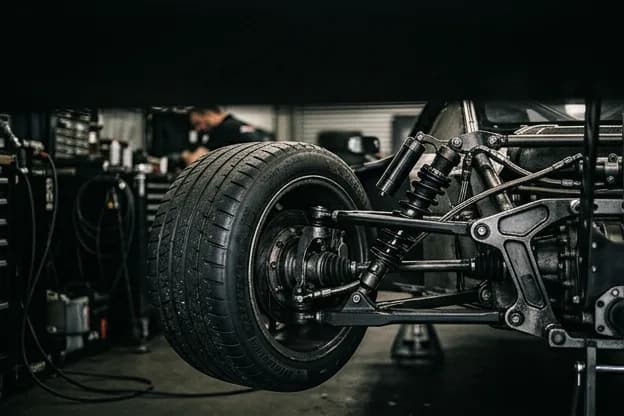
A setup is the mechanical and aerodynamic configuration of your car: tire pressures, suspension stiffness, brake bias, wing angle... It's what the engineers on a real team adjust between runs to get the most out of the car.
What's it for? To adapt the car to three things: the track (you don't want the same thing on a fast layout like Monza as on a slow, twisty one), the conditions (dry or wet, cold or hot track) and your driving style. The same car with two different setups feels like two different cars. For example: with one it might be hard to turn because it understeers, and with another the rear steps out at the slightest provocation.
Three things you need to know right away:
- There are two kinds of series: fixed (everyone races the same setup) and open (you can customize it).
- iRacing includes a standard setup for every car, available to all drivers by default: the so-called baseline.
- As a beginner, your priority isn't the setup. It's learning to drive.
A setup squeezes extra performance out of a car you already know how to drive on the limit at a specific track. If you don't meet that requirement, don't waste your time.
If you take just this with you, you've got the idea. Now let's get practical:
What to keep in mind about setups when you start
The general rule is simple: the less you touch the setup at the beginning, the better. Your energy pays off far more learning the racing line than tweaking dampers you don't yet know the purpose of.
Drive first, tune later.
The most common mistake is wanting to run before you can walk. You download the setup of an 8,000-iRating driver thinking you'll go as fast as them, and all you get is a nervous car you can't control. That setup was built for someone who already masters the racing line, knows where the limit is, and knows how to correct when the car steps out. You don't yet. Learn to drive with something stable, and when the car stops scaring you, then start tweaking.
This isn't empty philosophy: it's the difference between making progress or spending weeks frustrated, wondering why a "fast" setup makes you slower. The sensible way to approach setups at the start is a three-rung ladder. Don't skip any of them.
1. Race in fixed series
In a fixed series everyone runs exactly the same setup, so you don't have to decide anything: you hop in and drive. It's the perfect place to start, because it removes a huge variable and lets you focus on the only thing that matters right now: your driving. On top of that, with everyone on equal footing, races tend to be cleaner and closer. Plenty of Rookie and Class D series are fixed for exactly this reason. If you're not yet clear on how licenses and series work, we explain it in the guide to what iRacing is.
2. In open series, start with the iRacing baseline
If the series you like is open (you can use your own setup), keep it simple: use the setup iRacing ships with the car. It's free, it's stable, and it passes tech inspection (the tech) without a hitch. It won't be the fastest on the grid, but it's more than enough to learn and race your first events. A forgiving car that absorbs mistakes protects your Safety Rating; a nervous one tanks it.
3. A downloaded setup, only once you're driving comfortably
Once you've put in weeks of laps, know the racing line by heart, and the car no longer surprises you, it's a good time to try community setups or start tweaking your own. But remember: no matter how good the person who made the setup is, it won't fix your driving. The setup fine-tunes; the driver wins.
How to load a setup
If you decide to use a setup that isn't the baseline, the process goes like this:
- Download the setup file (it has a
.stoextension). - Place it in iRacing's setups folder for that car, inside your documents.
- Go to the garage within the session, open the setup list, and select the one you just added.
In fixed series this step doesn't exist: the option is greyed out, because the setup is already locked in for everyone.
Want a video tutorial of this step?
Leave your email and we'll send you a video walking you through the process. No spam.
We'll only use it to send you this video; see our privacy policy. Unsubscribe anytime.
How it works in detail
Up to here, the essentials. With this you can already race without stressing about the setup. If you want to understand the ecosystem from the inside, keep reading.
Fixed vs Open
iRacing offers many of its series in two versions, and understanding the difference saves you grief:
| Fixed | Open | |
|---|---|---|
| Setup | The same for everyone | Whatever you want |
| What it rewards | Pure driving | Driving + tuning |
| For learning | Ideal | More demanding |
| Racing | Closer, wheel to wheel | More spread out |
A detail that confuses a lot of people: as far as iRacing is concerned, the fixed and open versions of the same series are two different series, each with its own iRating and standings. They don't mix. It matters, for example, for iDollars: your 8 scoring weeks all have to be in the same series.
iRacing's factory setups
Here's something almost nobody has clear: iRacing doesn't give you one setup with each car, it gives you several. When you buy a car, it comes with a selection of setups created by iRacing —usually a generic baseline plus a few variants (for example low or high downforce, or aimed at different track types)— and they're updated every season, which is why they always pass tech. The tech is the automatic inspection iRacing runs, before letting you out on track, to check that your setup complies with the car's rules (minimum ride heights, wing limits, pressures…). If it doesn't comply, you can't race with it.
When you enter a session, iRacing loads one by default, but you can open the garage and pick any of the others, or load your own. To start, the generic baseline is more than enough: it's built to be stable and safe, not to be the fastest. Exactly what you want while you're learning.
That said, be clear on one thing: these setups are generic for the car, not optimized for each track. You can use them on any track, but they won't be the fastest. The exception is fixed series: there you don't choose anything, iRacing imposes a setup already tuned for that week's track, the same for everyone.
Where to get setups
When the time comes to look for something beyond the baseline, you've got two routes:
- Free: iRacing's own baselines and tools like Garage61, which has a free tier where the community shares setups and telemetry data.
- Paid: specialized shops like VRS, Coach Dave, Hymo or Grid & Go, where professional drivers create and update setups every week. We'll talk about prices and which is worth it in the advanced guide.
Don't use an old or outdated setup.
iRacing has been overhauling its tire model car by car, and each change can render old setups obsolete: some even "fail tech" and won't let you out on track at all. If you download a setup, make sure it's from the current season and for your exact car and track. A recent iRacing baseline is almost always a better bet than a setup downloaded six months ago.
When should you start tweaking setups?
There's no exact date, but there are clear signs you're ready to get your hands on a setup:
- You drive consistently: you lap within a similar window time after time without binning it.
- You know the car and the track: you have clear braking references, and reference points where, if you need to take a risk, you can gain a bit of time.
- You're starting to notice what the car lacks: "it understeers in the slow corners," "the rear steps out when I get on the throttle." Once you can name the problem, you can start fixing it.
If you're not at that point yet, no worries: it's exactly where you should be. Keep putting in laps.
When you get there, we'll teach you to build and fine-tune your own setups step by step, parameter by parameter, in the advanced setup guide (coming soon).
Setups intimidate because it looks like you need an engineering degree to compete. You don't. At the start, your best investment isn't a faster setup: it's one more lap. Use what iRacing gives you, race fixed when you can, learn the racing line, and leave the engineering for when the car no longer scares you.
The driver first, the car second. In that order, always.